

an X-ray image interpretation training and testing platform focusing on large-scale Cargo containers
What is the Customs X-Ray Simulator?
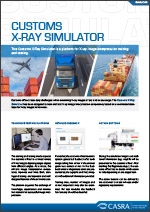
Customs officers face daily challenges when examining X-ray images of air, land, or sea large-scale cargo. The Customs X-Ray Simulator (CXS) has been designed to train and test X-ray image interpretation competency for large-scale containers.
Any Questions?
We are here to help
Any Questions? We are here to help
Software Features

Training & testing platform
The training and testing mode exposes the customs officer to a broad variety of X-ray images depicting contraband from different angles. As a result, the officer’s image interpretation competency improves over time. Both training and testing are important and well-designed features of the software suite.


Training & testing platform
The training and testing mode exposes the customs officer to a broad variety of X-ray images depicting contraband from different angles. As a result, the officer’s image interpretation competency improves over time. Both training and testing are important and well-designed features of the software suite.
More Information
Our software can either be used as a web-based (hosted) solution (recommended) or be installed on a local workstation (server-client). We recommend the following system configuration:
Hosted Solution
- Windows 7 or above
- Google Chrome or Microsoft Edge (min. requirement: Internet Explorer 11)
- Screen resolution 1280x1024
- CPU Core i5, min. 2GB free RAM memory
Local Solution
Server
- Windows Server 2012 R2
- MS IIS 8.5
- SQL Server 2012
- CPU 4 cores, 16 GB free RAM memory
- Network 1GBit
- Required disk space depending on image count and image size. Please contact us for more information.
Workstation
- Windows 7 or above
- Google Chrome or Microsoft Edge (min. requirement: Internet Explorer 11)
- Screen resolution 1280x1024
- CPU Core i5, min. 2GB free RAM memory
Please note that these are general guidelines. For detailed information on the compatibility of your specific configuration of hardware and detailed System Requirements for 3D modules, please contact us.
Datasheet
Other potentially relevant solutions for you

Assessment test for the selection of potential X-ray screeners

CASRA e-Learning Solution

X-ray competency assessment test